
Adding your first property
From address to property folder in a few minutes: you enter the basics, ImmoDok creates the file with all its sections.
Who this is for:
Owners
Editors
2 min readUpdated: 02/09/2026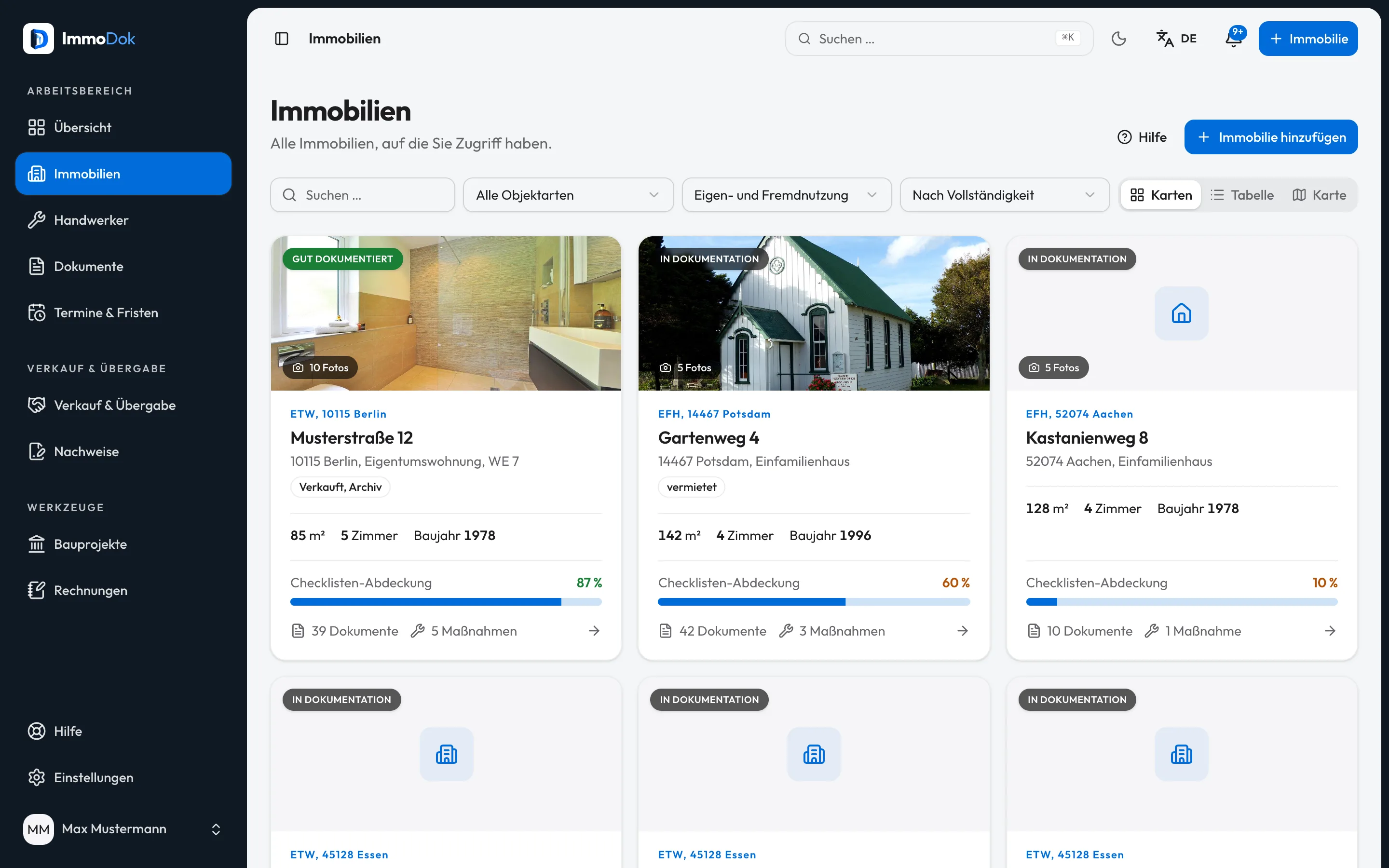
Step by step
- Open "Add a property", via the button at the top right or the overview.Also reachable from the first-steps list
- Enter street, house number and postcode. The town is checked against the postcode.Address suggestions help while typing
- Choose the property type, flat, detached house, apartment building and so on.For flats: position in the building as "unit"
- Add what you have at hand: living area, year built, rooms. Everything else can follow later.Only the address is required
- Save. The file opens with the overview and the sections documents, jobs, contractors, disclosures, appliances and meter readings; let properties also show tenancies and operating costs. Sharing happens via “Share”.The completeness indicator starts right away
The result: A property folder with its own completeness indicator. Every document and job you record from now on belongs to this property for good.
Important: The entries are your own statement. ImmoDok verifies neither ownership nor the land register, that remains the business of notary and land registry.
Open in the product
What if it does not work?
- ImmoDok warns about a duplicate.
- A file already exists at the same address with the same unit. Check the property overview before creating a second one.
- The town does not match the postcode.
- ImmoDok checks postcode and town against a directory. Pick the suggested town or check the postcode for typos.
- New folder locked.
- Two folders are free; a folder with a paid handover does not count. More folders come with the landlord pass.
Related guides
Maintaining master data and completenessLiving area, year built, cadastral details: well-kept master data makes the file dependable, the completeness indicator shows what is still missing.Uploading a documentPreserve the original, confirm the type, add metadata, turning a file into a findable, countable record.Getting started: tour and first stepsThe welcome dialog explains the approach, the tour shows the real interface, the first-steps list walks you through the first tasks.