
Matching rent payments from a bank statement
Import a bank statement you exported yourself and see month by month what was agreed and what came in.
Who this is for:
Owners
Editors
2 min readUpdated: 21/09/2026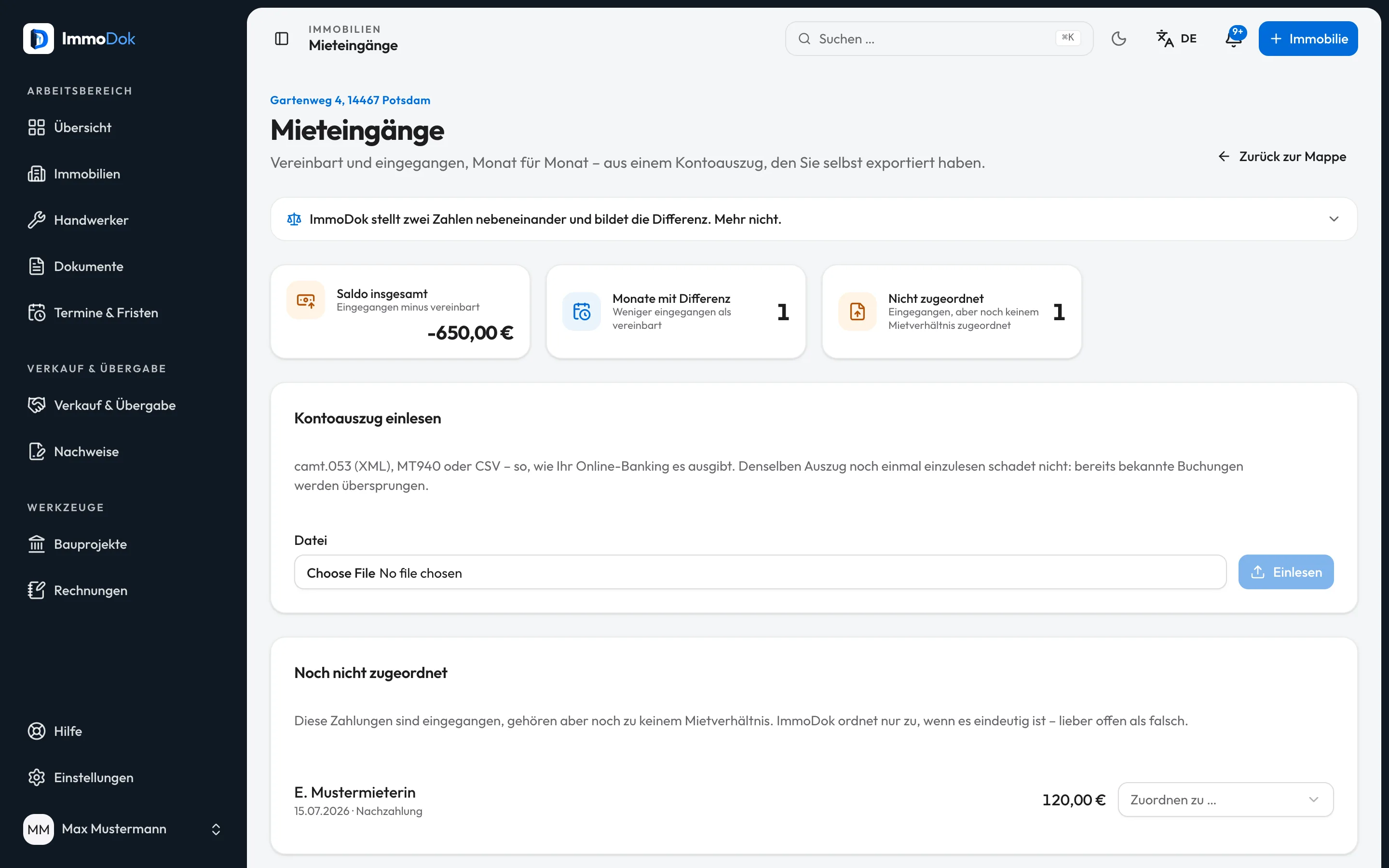
Step by step
- In your online banking, export a statement as camt.053 (XML), MT940 or CSV.Up to 5 MB
- In the property, open “Tenancies”, then “Rent received”, choose the file and click “Read it”.Bookings imported twice are skipped
- Assign open payments under “Not assigned yet” with “Assign to …” to the right tenancy.ImmoDok only assigns when it is unambiguous
- Read the monthly table: agreed, received and the difference per month.Agreed = rent plus advance payment
The result: An overview per tenancy of which months are settled and where a difference remains.
Important: There is no connection to your bank; ImmoDok only sees the file you upload and stores only its bookings. No reminders are created, no interest is calculated and no deadlines are derived.
Open in the product
What if it does not work?
- A payment was not assigned automatically.
- That only happens when exactly one tenancy fits, through the IBAN on the tenancy, the name in the reference or the exact amount, for instance. Otherwise it stays open, better open than wrong.
- The CSV file is not recognised.
- ImmoDok reads the columns by their headings, such as booking date, amount and reference. Export the file unchanged from your online banking, or use camt.053.
- A statement was wrong.
- Under “Statements read”, delete the statement together with its bookings.
Related guides
Recording a tenancyTenant, unit, rent, service charges and deposit in one place, plus the landlord confirmation (Wohnungsgeberbestätigung) as a PDF.Preparing an operating cost statementRecord the building’s costs, split them by key and issue one PDF per tenancy, with the calculation and the deadline.