
Inviting your tax advisor
A dedicated role with read access and review functions: your tax advisor sees receipts and yearly summary without being able to change anything.
Who this is for:
Owners
Editors
2 min readUpdated: 02/09/2026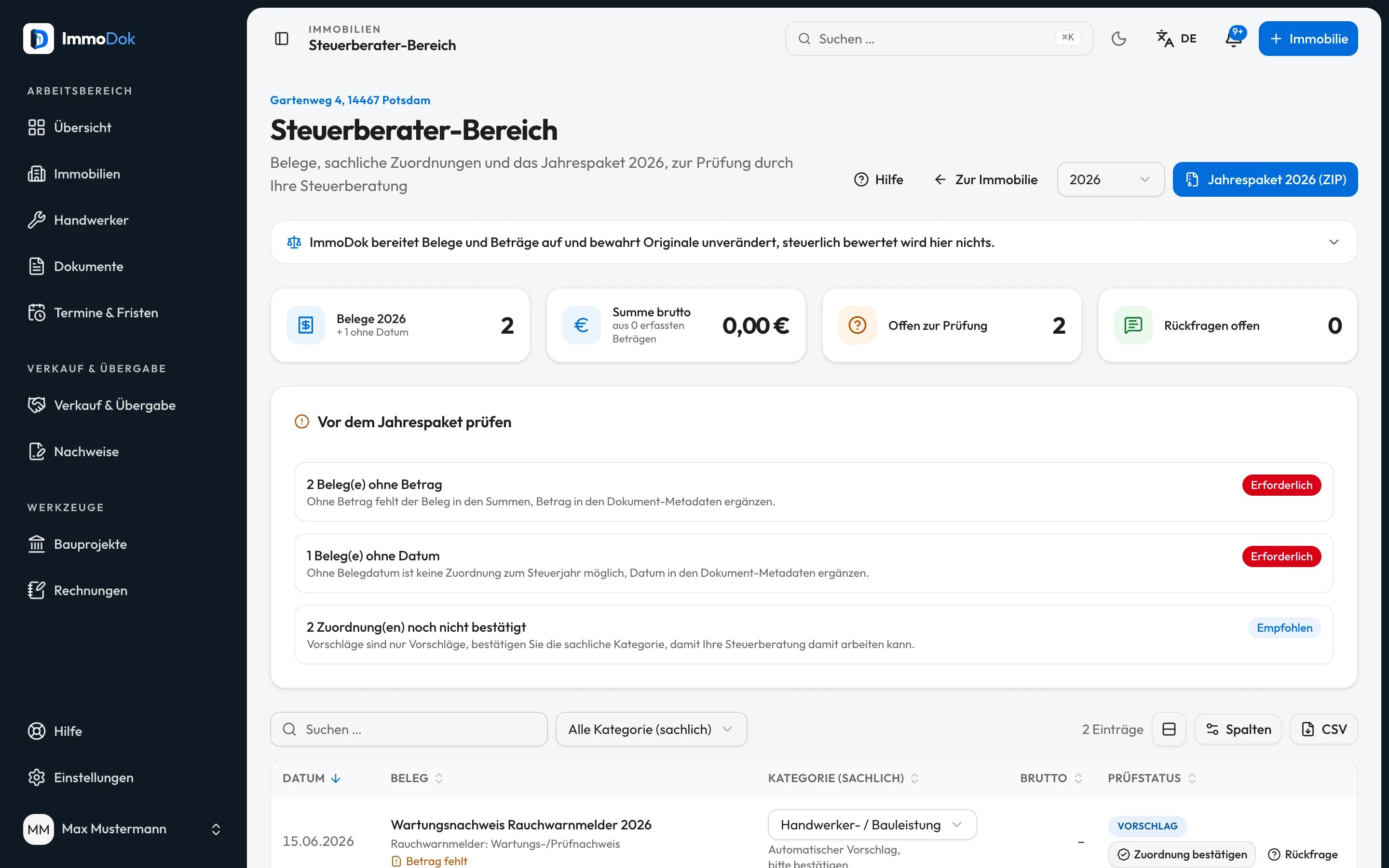
Step by step
- Open “Share” in the Mappe and invite by e-mail with the role “Tax advisor”.Personal one-time link, valid 30 days
- Your tax advisor accepts the invitation and works in the property's tax area.Read, review, comment, export
- Queries run as comments right on the year, both sides are notified.The thread is preserved
- Confirmed assignments get the status "confirmed by tax advisor", visible to everyone involved.Who confirmed what is recorded
The result: Your tax advisor works on the same receipts you do, no e-mail attachments, no write access to your file.
Important: Tax advisors are independently responsible under data-protection law. What you share is your decision; the access is revocable at any time.
Open in the product
What if it does not work?
- The invitation has expired.
- Invitation links lapse after 30 days. Simply create a new invitation under “Share”.
- The tax advisor cannot edit anything.
- By design: the role reads, reviews and exports, property data and documents stay in your hands.
- The tax advisor looks after several files.
- Anyone invited to at least one file as tax advisor finds the "Tax overview" in the sidebar: every mandate of a tax year on one page, with receipt count and total, receipts without a category, comments and the state of the yearly package, one click from there into each file's tax area.
Related guides
Exporting the yearly package for the tax advisorOne calendar year, one package: all original receipts, receipt lists as CSV, a PDF summary and a manifest with checksums.Sharing access: roles and invitationsWho sees what: four roles from full access to preview, personal invitations with expiry, revocable at any time.