
Documenting a job
What was done when, by whom, at what cost: a job bundles photos, receipts, warranty and the executing firm.
Who this is for:
Owners
Editors
2 min readUpdated: 02/09/2026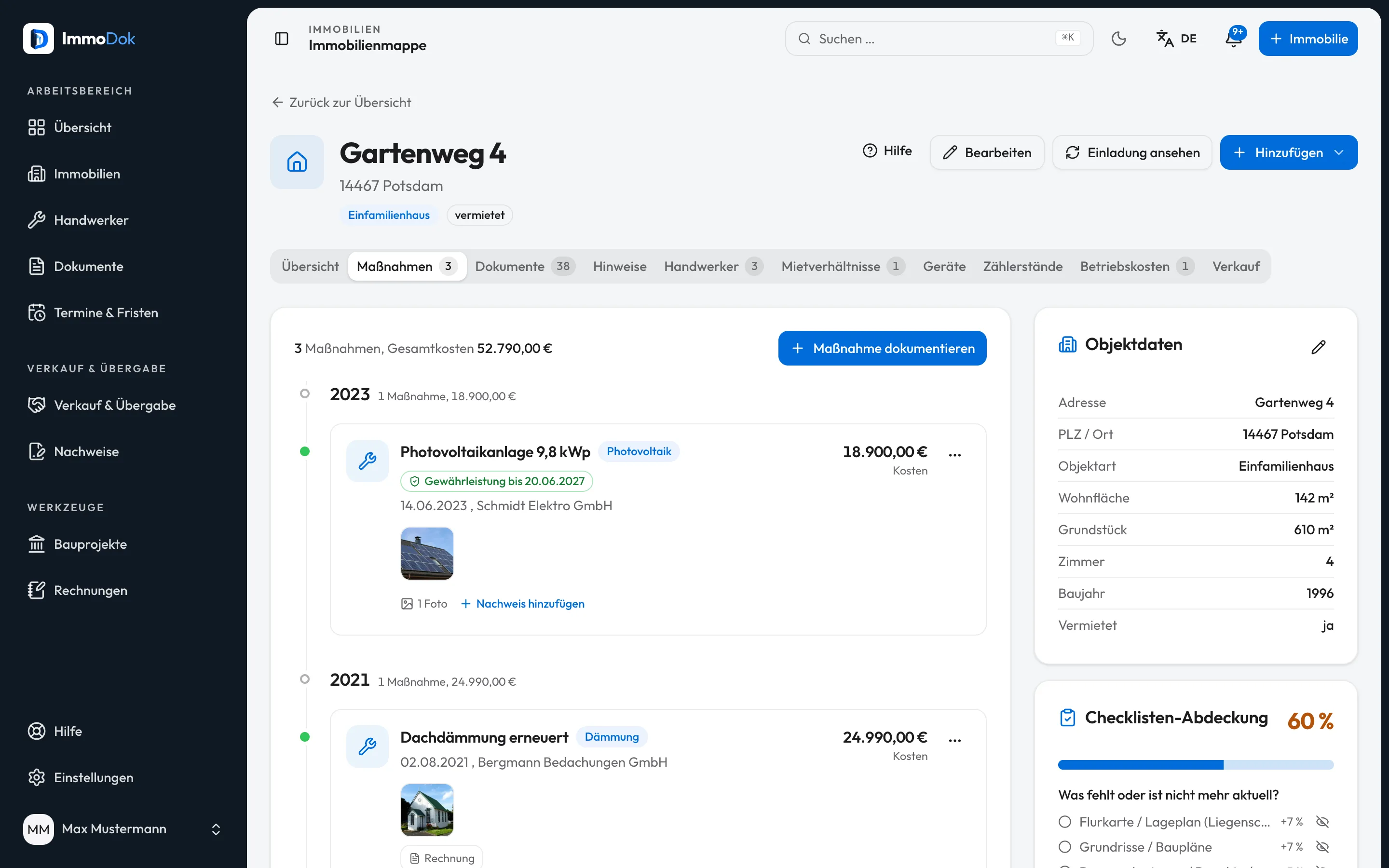
Step by step
- Open the property's "Jobs" section and create a job.Title + category are enough to start
- Pick the category, from roof to heating to photovoltaics, and the status: planned, in progress or completed.Small maintenance counts too
- Record acceptance date and contract type (BGB or VOB). From these ImmoDok computes the warranty end.The end shows up in deadlines and calendar
- Link the executing firm from the contractor address book, or create it on the spot.The firm stays linked to the job
- Attach photos and typed papers: invoice, quote, guarantee, acceptance protocol.Photos by drag and drop, HEIC included
The result: A chronological property history: every job with evidence, warranty end and the firm that knows the work.
Open in the product
What if it does not work?
- The warranty end is missing.
- It is computed from acceptance date and contract type, without those two entries the field stays empty.
- The firm is not offered for selection.
- The address book is per account. Create the firm once under "Contractors"; it is then available on every job.
Related guides
Managing contractor firms and their recordsThe address book of the firms that know your properties, with contact channels, linked jobs and the receipts that belong to them.Recording an invoice as a receiptAmount, date, issuer and factual category: turning the invoice PDF into a receipt the yearly summary counts.