
Preparing an operating cost statement
Record the building’s costs, split them by key and issue one PDF per tenancy, with the calculation and the deadline.
Who this is for:
Owners
Editors
2 min readUpdated: 21/09/2026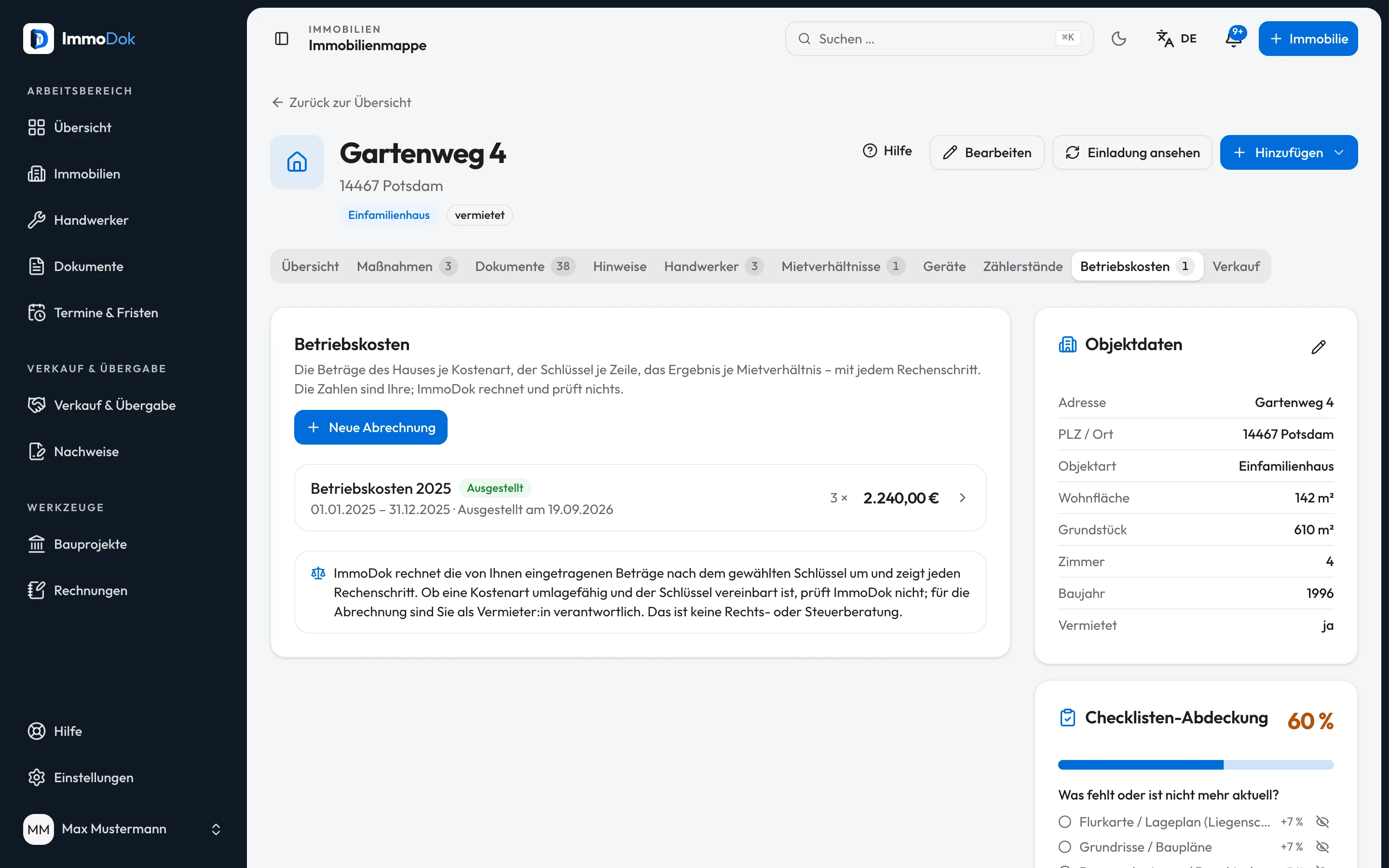
Step by step
- In the property, open the “Operating costs” tab and use “New statement” to set title, period and the default key.The period covers at most one year
- Add the items: cost type, the building’s total and the allocation key, optionally with the receipt from the folder.Living area, persons, units, consumption or direct
- Check the result per tenancy and the calculation; vacancy and rounding are borne by the landlord.Advance payments come from the tenancy
- Issue the statement: it is frozen, and one PDF per tenancy is created.On your letterhead
The result: One PDF per tenancy with share, advance payments and back payment or credit, filed in the folder.
Important: ImmoDok calculates but does not check whether a cost type may be passed on or whether the key was agreed. The statement must reach the tenant no later than twelve months after the period ends (§ 556 (3) BGB); after that a back payment is excluded, unless the landlord is not responsible for the delay (§ 556 (3) sentence 3 BGB).
Open in the product
What if it does not work?
- “Issue statement” is locked.
- It needs at least one item and at least one tenancy in the period. The notes above the result name missing areas, persons or advance payments.
- A mistake shows up after issuing.
- An issued statement cannot be changed. Create a new statement as the correction.
- The PDF has no bank details.
- They come from the sender details in the invoice settings. Without an IBAN there, neither bank details nor GiroCode appear.
Related guides
Recording a tenancyTenant, unit, rent, service charges and deposit in one place, plus the landlord confirmation (Wohnungsgeberbestätigung) as a PDF.Matching rent payments from a bank statementImport a bank statement you exported yourself and see month by month what was agreed and what came in.Storing your letterheadYour own letterhead as a PDF, ImmoDok prints the invoice onto it and never stores your company details in the first place.