
Recording owners' association resolutions
Keep your association's resolutions as an ordered copy, with costs, your share and later notes.
Who this is for:
Owners
Editors
1 min readUpdated: 22/09/2026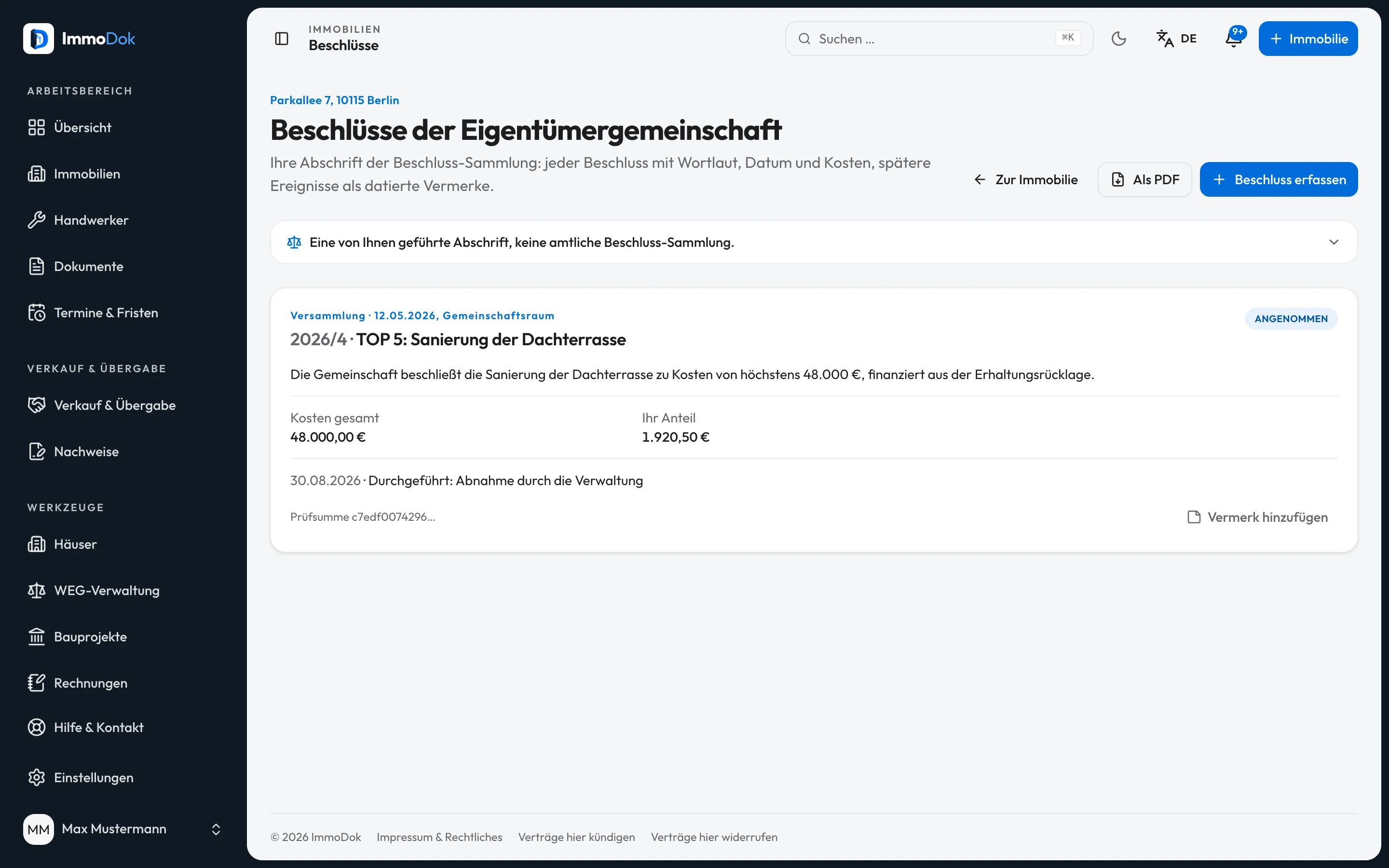
Step by step
- Open a condominium and choose “Owners' association resolutions” on the right.Condominiums only
- Click “Record resolution” and take number, date, subject and wording from the minutes.Costs and your share are optional
- Add later events – challenge, court decision, execution, correction – with “Add note”.Entries themselves stay unchanged
- “As PDF” gives you the copy, for example for a buyer or the notary.Buyers with access also see the list in the folder
The result: A complete, traceable overview of the resolutions that concern your flat.
Important: The manager's resolution register remains authoritative. ImmoDok does not check whether a resolution is valid or challengeable and calculates no deadlines.
Open in the product
What if it does not work?
- I made a typo.
- An entry is not changed. Add a “Correction” note with the right wording.
- I cannot see the entry point.
- It only appears for properties of type condominium. Check the property type under “Edit”.
Related guides
Working as a property manager: buildings and owner reportInvite a property manager, group several units into a building and create an owner report per year.Tenant access and defect reportsShow the tenant their finished protocols and statements through a link, and receive defect reports through the same link.