
Service-charge account: payments, balances, collection and dunning
Import the association's statements, see open amounts per unit, special levies, direct debit, interest, dunning application and a booking batch in DATEV format.
Who this is for:
Owners
Editors
2 min readUpdated: 23/09/2026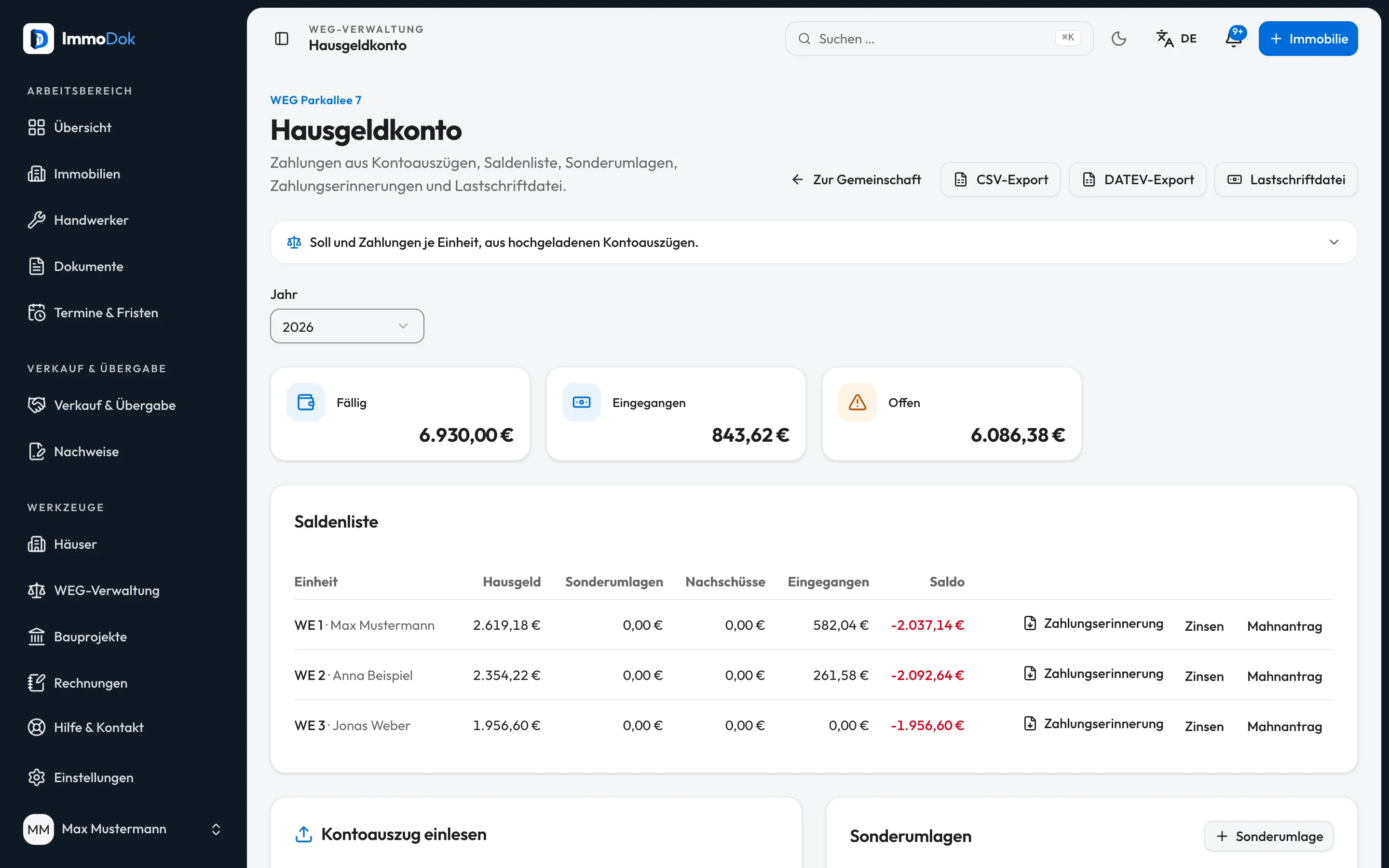
Step by step
- Open the association and then “Service-charge account”. Import a statement of the association's account (camt.053, MT940 or CSV).Matched by IBAN or unit in the reference
- The balance list shows per unit the budgeted service charge, special levies and additional payments against payments. Assign open payments by hand.Owners see only their own balance
- For open amounts, create a payment reminder, an interest statement or the data sheet for the online dunning application.Interest: 5 points above the base rate
- With direct-debit mandates, create the direct-debit file for your bank or start collection through the connected collection account.Collection currently runs in test mode
- For the tax advisor, download the year's DATEV booking batch or CSV.The firm assigns the accounts
The result: Always know who owes what, with the next steps prepared.
Important: You file the dunning application yourself at online-mahnantrag.de. Collection through ImmoDok is a simulation until a payment provider is connected; no money moves.
Open in the product
What if it does not work?
- A payment was not assigned to a unit.
- Store the owner's IBAN or assign the payment under “Payments without a unit”.
- The direct-debit file cannot be created.
- Creditor ID, the association's IBAN, an adopted budget or complete mandates are missing.
Related guides
Managing a small owners' association yourselfUnits with co-ownership shares, budget, annual statement with the balance to settle, meetings, resolution register and access for the owners.Voting: at the meeting and by circularCount votes per agenda item, choose the right majority and collect circular resolutions through the owners' access.Management office: many associations with one teamCreate an office, move associations into it, add the team and see all key figures on one page.