
Voting: at the meeting and by circular
Count votes per agenda item, choose the right majority and collect circular resolutions through the owners' access.
Who this is for:
Owners
Editors
1 min readUpdated: 23/09/2026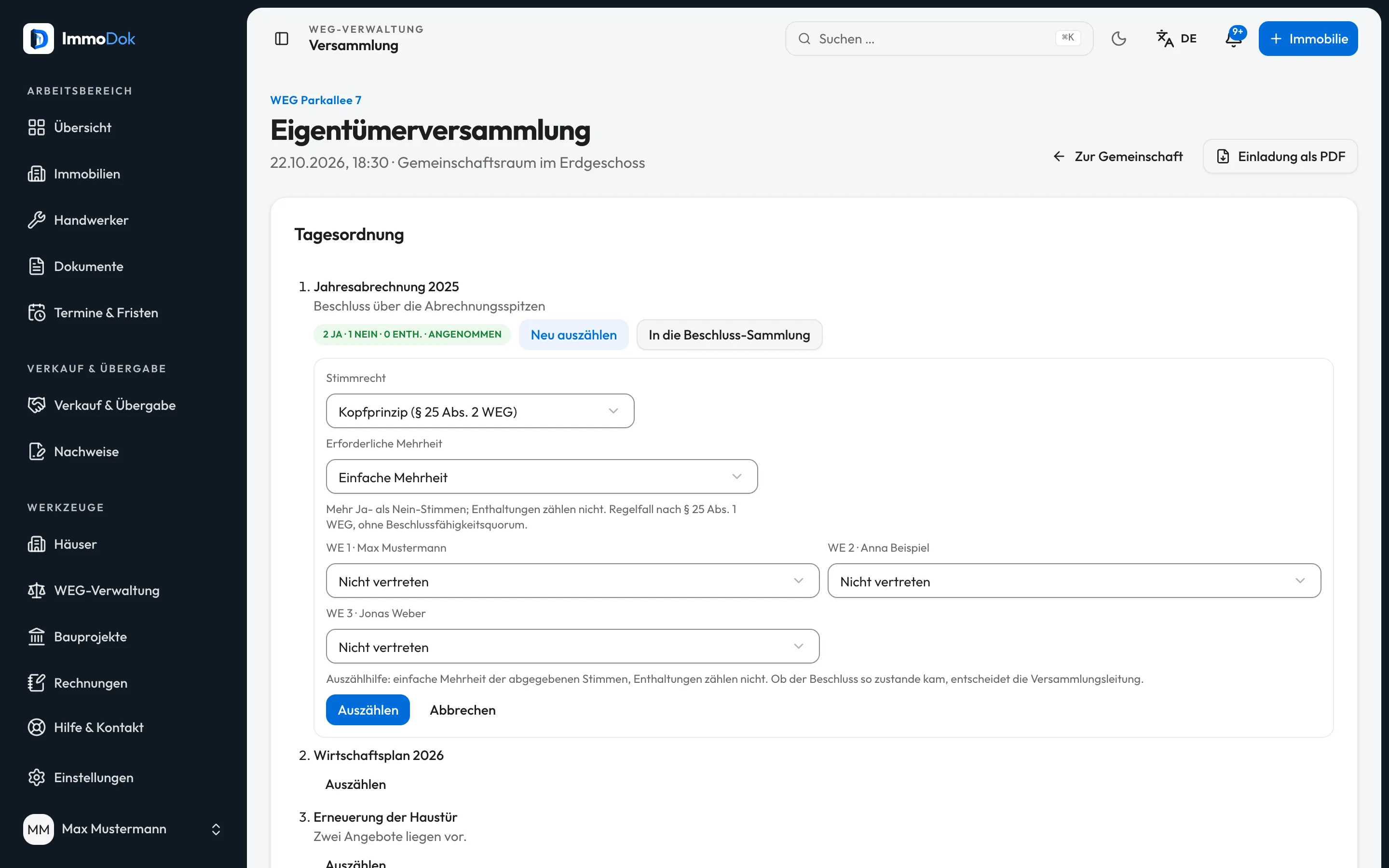
Step by step
- At the meeting, open “Count” on the agenda item, choose the voting principle and required majority and enter yes, no, abstention or not represented per unit.Abstentions do not count
- “Into the register” records the result with a consecutive number.The chair decides on the result
- For a circular resolution, enter subject, wording and deadline; owners vote through their access and are notified by e-mail.Without a majority resolution everyone must agree
- “Close” counts and records the resolution.Votes are final
The result: Traceable results with votes, rule and date in the resolution register.
Important: Which majority a matter needs is for the chair to decide under the law and the declaration of division; ImmoDok only counts.
Open in the product
What if it does not work?
- A circular resolution was rejected despite a majority.
- With unanimity, every missing vote counts as not agreeing.
- Co-owners voted differently.
- The unit then counts as abstaining; co-owners vote the same way (§ 25 (2) WEG).
Related guides
Managing a small owners' association yourselfUnits with co-ownership shares, budget, annual statement with the balance to settle, meetings, resolution register and access for the owners.Recording owners' association resolutionsKeep your association's resolutions as an ordered copy, with costs, your share and later notes.Service-charge account: payments, balances, collection and dunningImport the association's statements, see open amounts per unit, special levies, direct debit, interest, dunning application and a booking batch in DATEV format.