
Sharing access: roles and invitations
Who sees what: four roles from full access to preview, personal invitations with expiry, revocable at any time.
Who this is for:
Owners
1 min readUpdated: 02/09/2026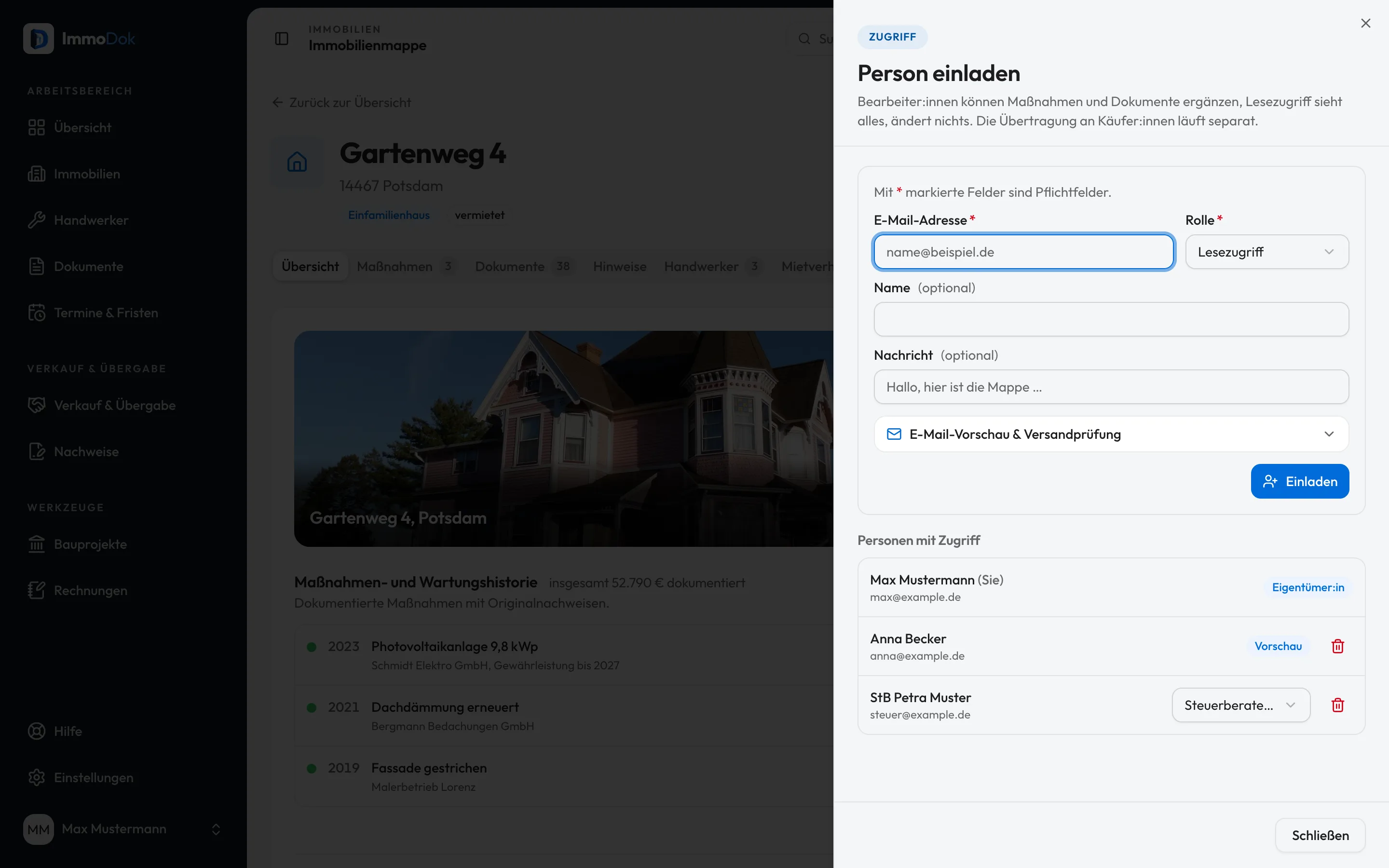
Step by step
- Open “Share” in the Mappe and choose “Invite”.Only the folder's holders manage access
- Pick the role: editors add documents and jobs, viewers read, tax advisors additionally review in the tax area. A property manager maintains tenancies, rent received and operating costs like an editor, but cannot share, hand over or delete.Buyers go through the data room
- Send the invitation, a personal one-time link, valid 30 days by default.The link belongs to the invited e-mail address
- Manage members in the same view: change roles, revoke access, withdraw open invitations.Every change lands in the activity log
The result: Every person has exactly the access you gave them, traceable, time-limited to invite, revocable at any time.
Open in the product
What if it does not work?
- The invited person cannot see the property.
- They must accept the invitation with the account of the invited e-mail address. Check under “Share” whether the invitation is still open.
Related guides
Setting up a buyer data roomProspective buyers first see a summary; full access follows only after the confirmed takeover, every step is logged.Inviting your tax advisorA dedicated role with read access and review functions: your tax advisor sees receipts and yearly summary without being able to change anything.Reading the activity logWho did what and when: uploads, sharing, deliveries, sign-ins, filterable, exportable and the basis of all traceability.