
Exporting the yearly package for the tax advisor
One calendar year, one package: all original receipts, receipt lists as CSV, a PDF summary and a manifest with checksums.
Who this is for:
Owners
Editors
Tax advisors
2 min readUpdated: 02/09/2026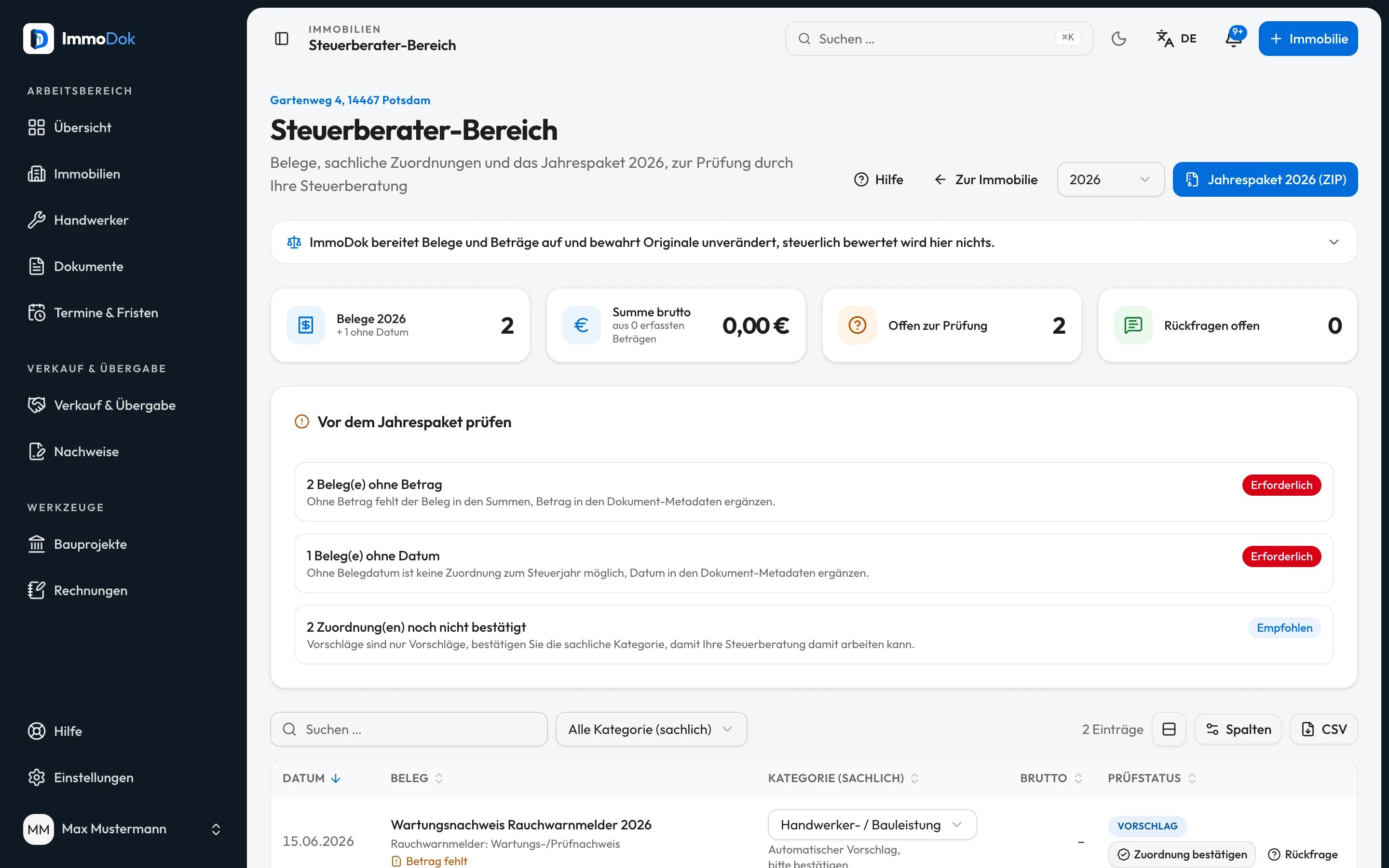
Step by step
- Open the property's tax area and pick the tax year.Property → tax area
- Work through the open items: missing amounts, missing dates, unconfirmed categories.The list explains each item
- Start the yearly package. It is built in the background; the download link arrives by e-mail.The tax advisor can export too
- Hand over the ZIP: original receipts, receipt lists (CSV), outgoing invoices, PDF summary, § 35a overview, DATEV booking batch, sanierungen.csv, mieteinnahmen-laut-mietverhaeltnissen.csv, anmerkungen.csv and a SHA-256 manifest.Neutral formats, no special software needed
The result: A complete, verifiable yearly package; the tax advisor works with originals instead of photocopies from three binders.
Important: The package orders and bundles. The tax assessment, what is deductible and where it goes, remains the tax advisor's work.
Open in the product
What if it does not work?
- The export will not start again.
- The same year is not packed twice within six hours; the latest link remains valid.
- A receipt is missing from the package.
- The package takes receipts of the chosen calendar year by invoice date. Receipts without a date sit in the folder “belege/ohne-datum”; or add the date.
Related guides
Inviting your tax advisorA dedicated role with read access and review functions: your tax advisor sees receipts and yearly summary without being able to change anything.Recording an invoice as a receiptAmount, date, issuer and factual category: turning the invoice PDF into a receipt the yearly summary counts.