
E-mail templates and send check
Which e-mails ImmoDok sends on your behalf, with preview and version, and how the send check vets an invitation before it goes out.
Who this is for:
Owners
Editors
2 min readUpdated: 21/09/2026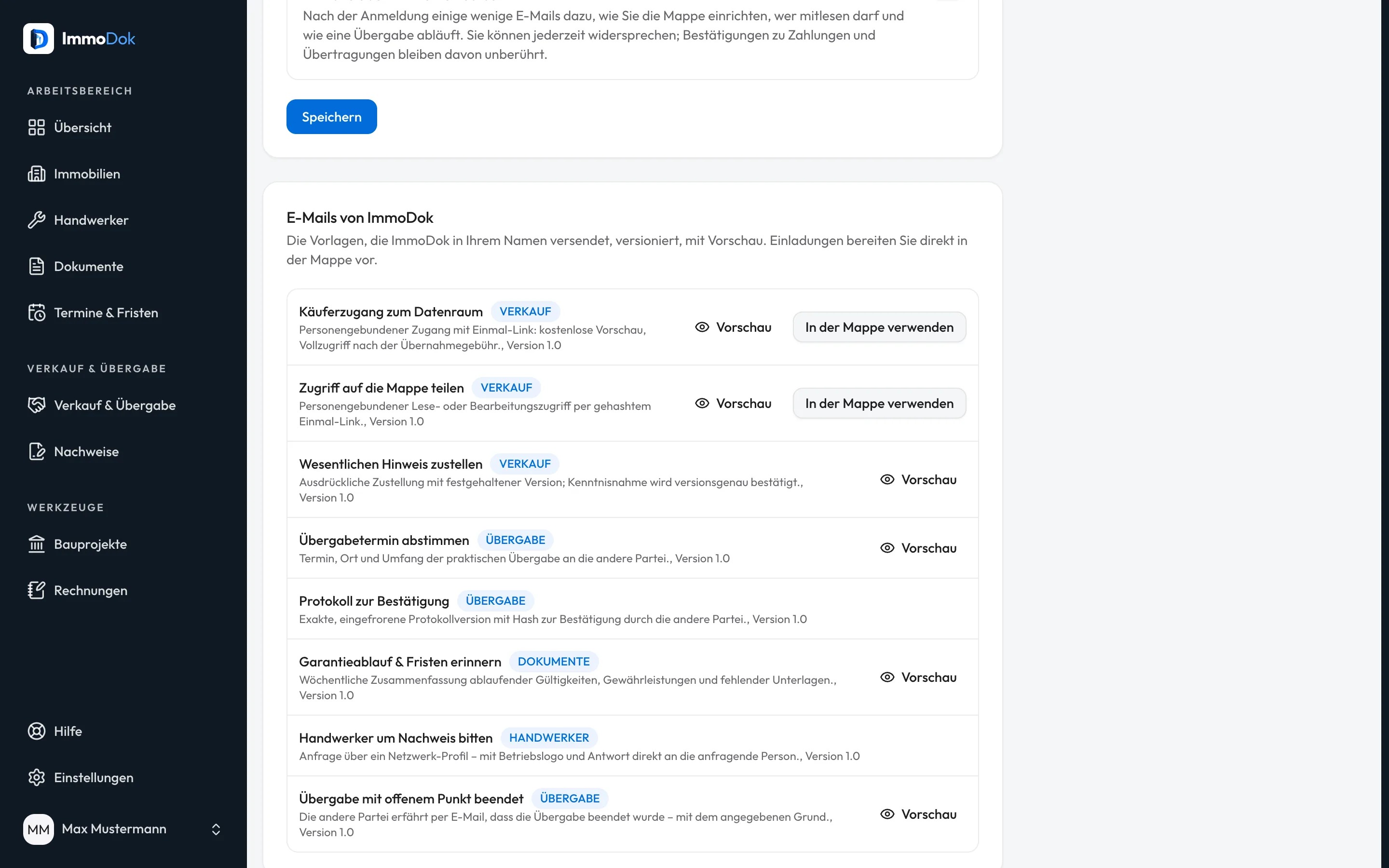
Step by step
- Open Settings → Notifications and scroll to “E-mails from ImmoDok”: every template with purpose, category and version.All templates are versioned
- Click “Preview”; it shows the real e-mail, with your own property or with marked sample data.What you see is what is sent
- You write invitations in the folder, in the “Invite person” dialog or when transferring; “Use in the Mappe” takes you there.Folder holders only
- In the dialog, expand “E-mail preview & send check”: the check runs while you type and blocks sending while any point is open.Property, role, scope, link validity
The result: You know before every send what will arrive, and invitations go out with vetted content instead of free-form e-mail text.
Open in the product
What if it does not work?
- A template has no button to use it.
- You only write invitations yourself. Every other message, the handover appointment confirmation say, is sent automatically by its workflow.
- The invite button stays locked.
- The send check has not passed yet. In the expanded check, look for the points marked “sending blocked” or “open”.