
Setting up construction projects with units
For developers: one project, many units from a naming pattern, billing per unit and inviting the buyers to the handover.
Who this is for:
Owners
Editors
2 min readUpdated: 21/09/2026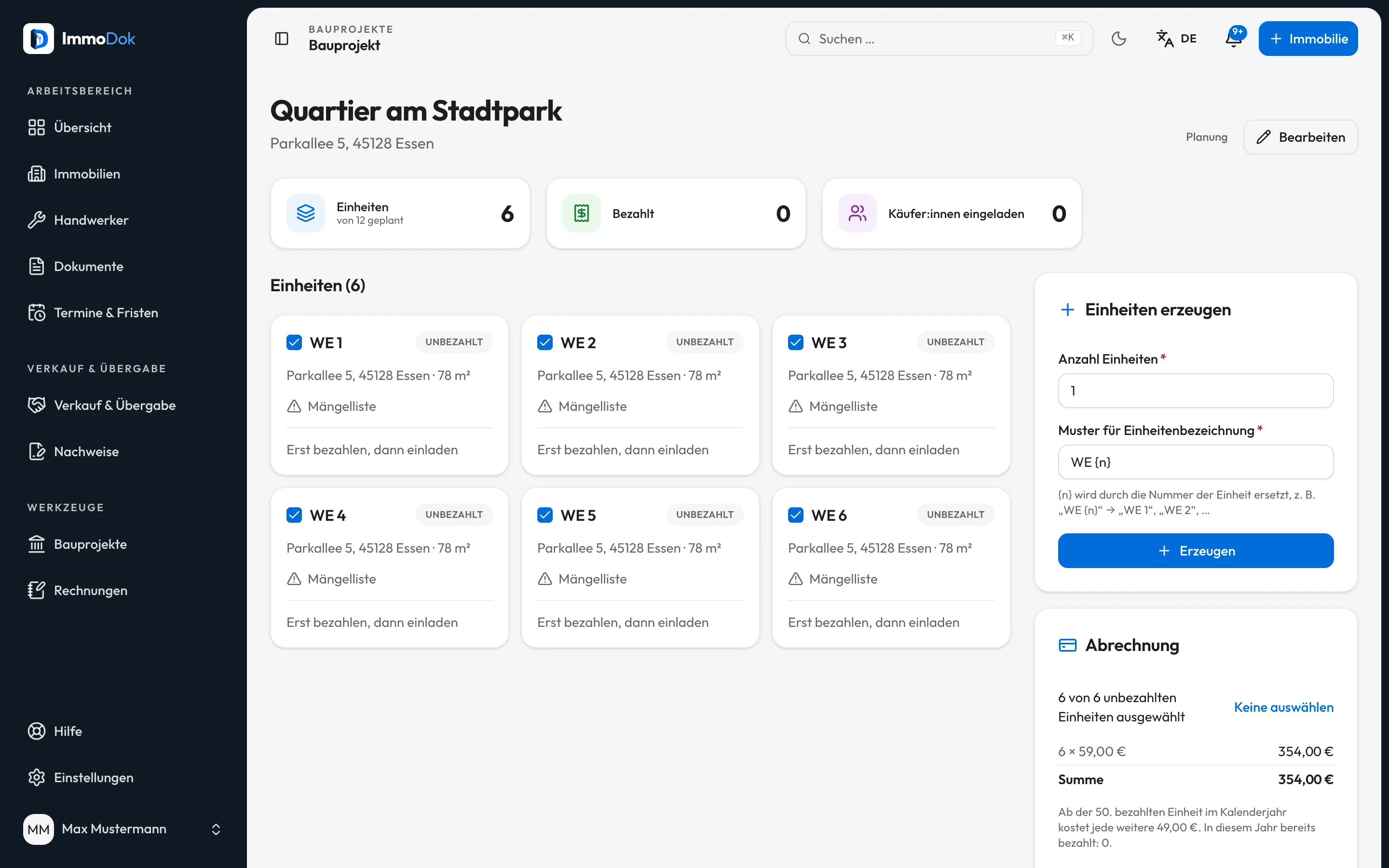
Step by step
- Under “Construction projects”, use “New construction project” to create the project with name and address.Any account can create projects
- Generate the units in one step: count and a naming pattern, “WE {n}” for instance.Each unit is a folder of its own
- Fill the units’ folders and invite your team; editors may maintain units.Payment, status and team are the owner’s alone
- Select the units under “Billing” and pay for them.Pay first, then invite
- Invite the buyer for each paid unit; the folder handover is free of charge for them.Not to your own address
The result: Each sold unit goes to its buyer with a folder of its own, and defects for the unit can be recorded in the folder.
Open in the product
What if it does not work?
- “Invite buyer” is locked.
- The unit has not been paid for yet. Pay for it under “Billing”, then the invitation is possible.
- A team member cannot pay.
- Intended: payment, status and team are managed only by the person who created the project.
Related guides
Setting up a buyer data roomProspective buyers first see a summary; full access follows only after the confirmed takeover, every step is logged.Preparing a handoverSet appointment, place and participants and outline the scope, the shared basis for the handover appointment.Co-ownership and representation at the handoverMarried couple, community of heirs, several buyers: record each person separately, with position, share and an explicitly named representative.