
Keeping track of dates and deadlines
Expiring evidence, ending warranties, handover appointments and open tasks in one place, as a list, as a month and as a task list.
Who this is for:
Owners
Editors
2 min readUpdated: 03/09/2026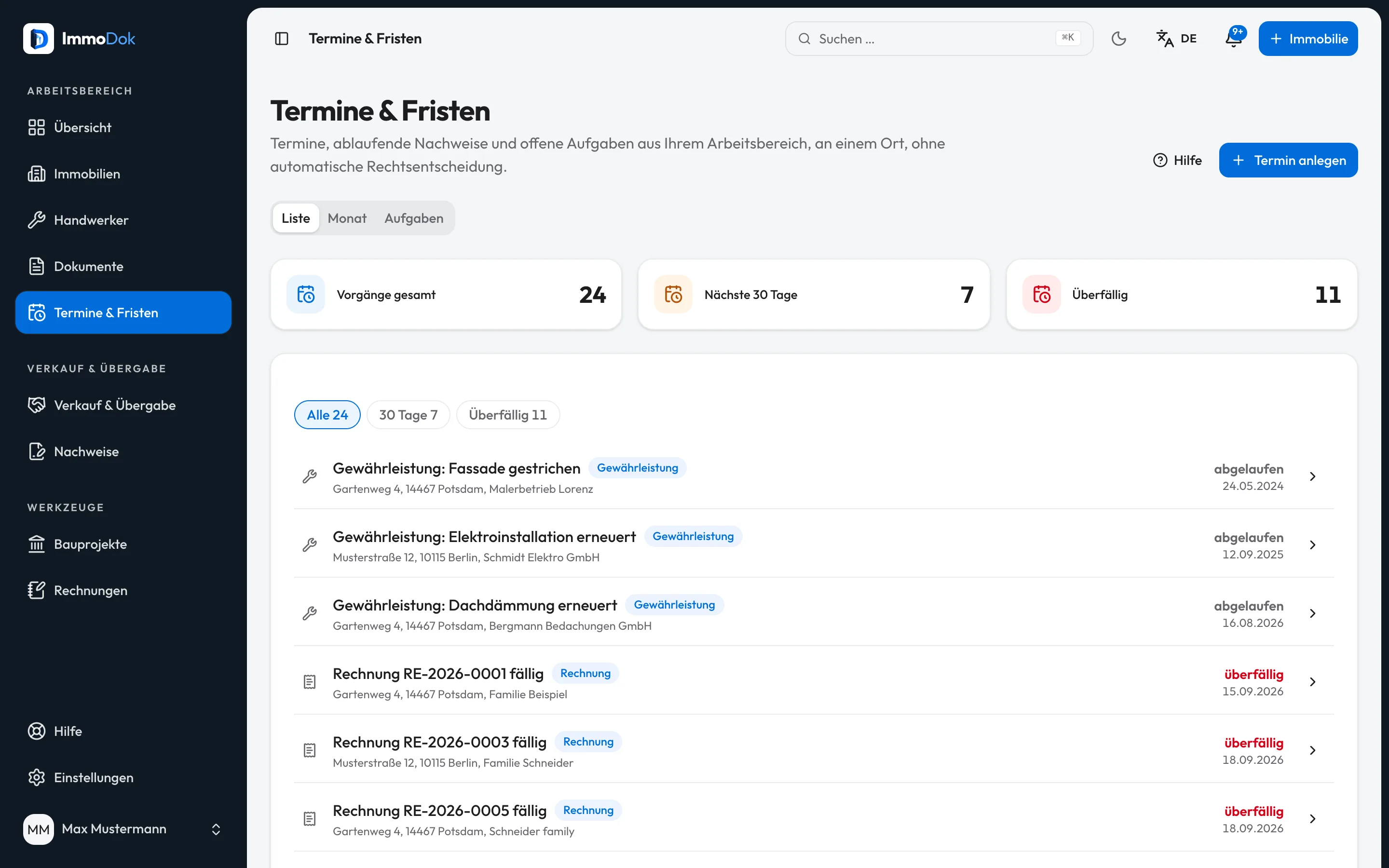
Step by step
- Open "Dates & deadlines" in the workspace. The list shows everything dated, soonest first.Figures: total, next 30 days, overdue
- Use the pills to filter down to "30 days" or "Overdue" when you only want what is pressing.An ended warranty reads neutrally as "ended", not in red
- Switch to "Month" to see appointments in context. Clicking a day shows its entries on the right; the legend explains the colours.The month is in the address, a shared link opens on it again
- Under "Tasks" you find the follow-ups and defects from handovers that carry a date, open ones first, completed below.They are edited in the handover itself
- Every entry leads to the place where it is maintained: the document, the job, the handover.The dates belong to their source, not to the calendar
The result: An overview built from your own records and a weekly reminder in your inbox, if you leave that switched on.
Open in the product
What if it does not work?
- A date is missing from the overview.
- What appears is what is recorded on documents, jobs, handovers and tenancies, what you adopt from the maintenance plan and what you add yourself. Add the validity date on the document or the acceptance date on the job.
- Does it calculate a statutory deadline?
- For some deadlines ImmoDok shows a computed date from your entries (for instance § 548 BGB, § 556 (3) BGB, warranty, and after an inheritance the notification to the tax office). Whether the period applies, when it actually starts and whether it is suspended, ImmoDok does not check.
- I do not want reminder e-mails.
- Under Settings > Notifications you can switch off the weekly summary; the in-app notices stay.
Related guides
Uploading a documentPreserve the original, confirm the type, add metadata, turning a file into a findable, countable record.Documenting a jobWhat was done when, by whom, at what cost: a job bundles photos, receipts, warranty and the executing firm.Understanding legal and tax boundariesImmoDok documents facts and organises access. What the product deliberately does not do, and who is responsible instead.