
Working as a property manager: buildings and owner report
Invite a property manager, group several units into a building and create an owner report per year.
Who this is for:
Owners
Editors
2 min readUpdated: 22/09/2026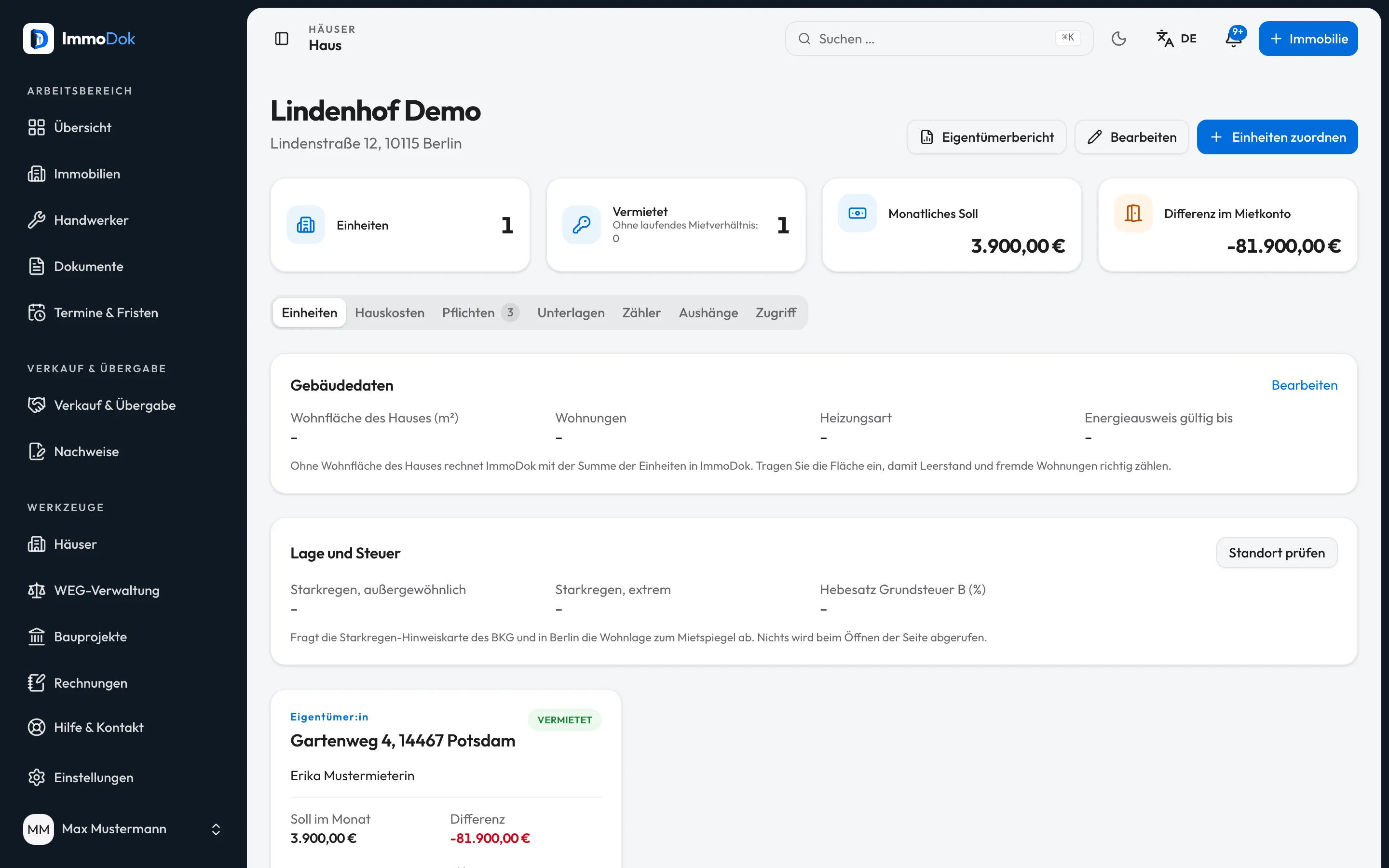
Step by step
- As the folder's holder, invite your property manager through “Share” with the role “Property manager”.Sharing, handing over and deleting stay with you
- The property manager adds a building under “Buildings” and assigns the folders they may edit.A building gives nobody additional access
- The building page shows for each unit whether it is let, the monthly amount due and the rent ledger difference.From tenancies and rent received
- Under “Owner report” choose a year to get a PDF for a building or, in the “Tenancies” tab, for a single property.Rent and expenses according to receipts
The result: An overview of all managed units in a building and an annual report for the owners.
Important: The owner report is not bookkeeping, not an operating-cost statement and not an annual statement under the WEG; for that there is the owners' association module (see “Managing a small owners' association yourself”). Expenses count by document date and only with an amount and category.
Open in the product
What if it does not work?
- A unit is missing from the list to assign.
- Only folders you may edit that belong to no building yet are offered. Ask the owner to invite you as property manager.
- Expenses are missing from the report.
- A receipt counts only with an amount, a document date in the year and a category. Add these details on the document.
- The rent ledger difference is very high.
- Usually bank statements have not been imported. The difference compares the amount due since the tenancy began with the allocated payments.
Related guides
Sharing access: roles and invitationsWho sees what: four roles from full access to preview, personal invitations with expiry, revocable at any time.Matching rent payments from a bank statementImport a bank statement you exported yourself and see month by month what was agreed and what came in.Tenant access and defect reportsShow the tenant their finished protocols and statements through a link, and receive defect reports through the same link.