
Tenant access and defect reports
Show the tenant their finished protocols and statements through a link, and receive defect reports through the same link.
Who this is for:
Owners
Editors
2 min readUpdated: 22/09/2026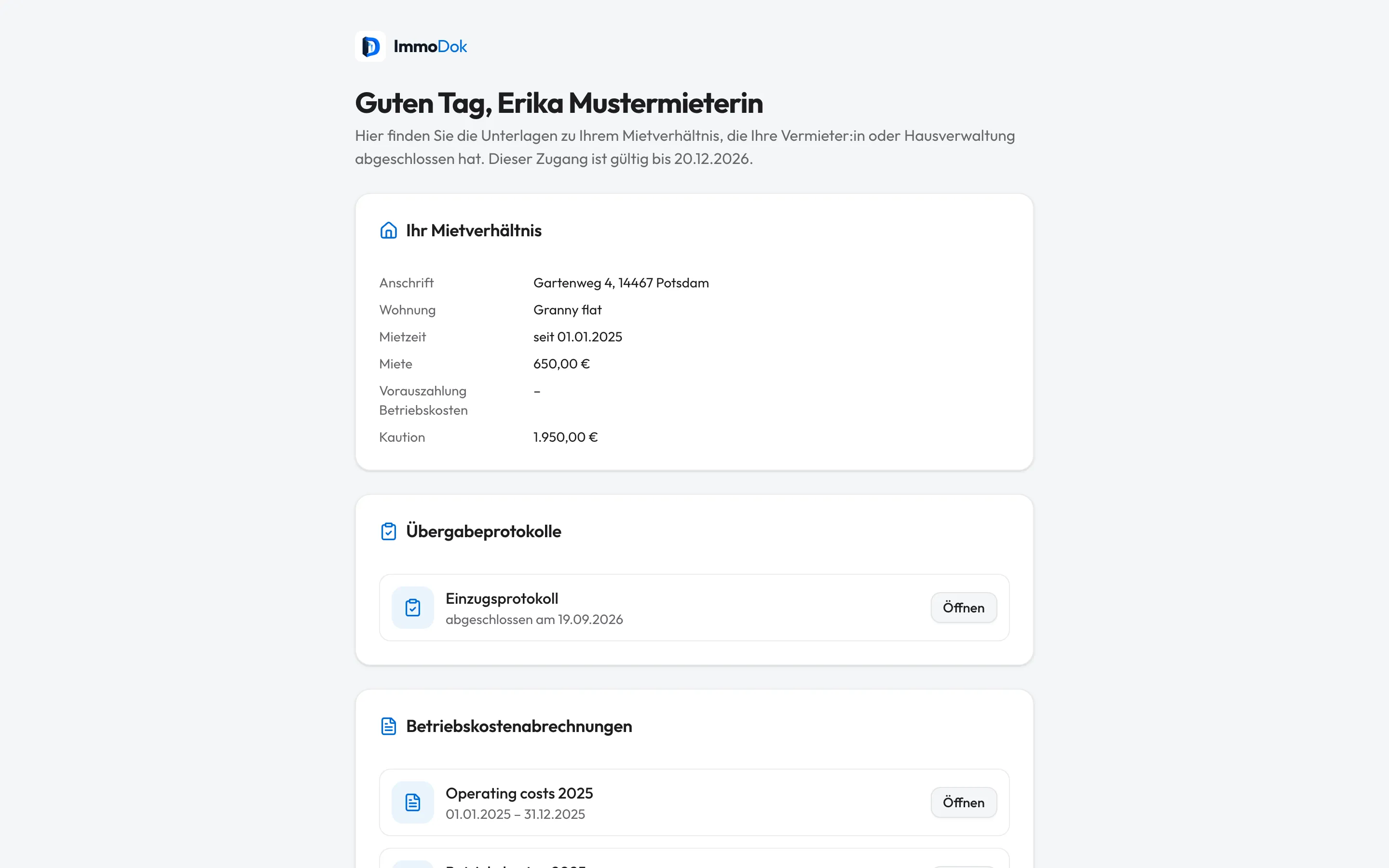
Step by step
- Open “Tenancies” in the property and click “Create link” under “Tenant access” on the tenancy.Valid for 90 days
- Copy the link at the top of the tab and pass it on to the tenant, for example by e-mail.The link is shown only once
- The tenant sees completed move-in and move-out protocols and issued operating-cost statements of their tenancy and can report a defect.No account needed
- New reports appear on the tenancy and as a notification. Set the status to “In progress” or “Done”; the tenant sees it on their page.“Revoke” ends the access
The result: The tenant always has their papers at hand, and defects arrive in writing with a date.
Important: Anyone with the link can read the papers. ImmoDok does not send the link itself and does not judge who owes a repair. In acute danger a report does not replace calling the emergency service.
Open in the product
What if it does not work?
- The tenant cannot see a protocol.
- Only completed protocols and issued statements are visible, no drafts.
- The link was passed on by mistake.
- Revoke it on the tenancy and create a new one.
Related guides
Move-in and move-out protocol with deposit settlementRecord rooms, meter readings and keys at the appointment, offline too, sign, complete, and settle the deposit at move-out.Preparing an operating cost statementRecord the building’s costs, split them by key and issue one PDF per tenancy, with the calculation and the deadline.Working as a property manager: buildings and owner reportInvite a property manager, group several units into a building and create an owner report per year.